 Figpea
What's New in Figpea v4.2.0: Imported Files That Actually Look Right
Figpea opens and edits design files — Adobe XD, Photoshop (PSD/PSB), SVG, PDF, Figma, and more — right in your browser. Nothing installs, nothing uploads, and you don't need an account just to look at a file. This release is mostly about one thing: fidelity. When you open a file, it should look the way its designer intended — and this update closes a long list of gaps where it didn't. On top of that, there's a much bigger authoring toolkit, a far larger scriptable API, and a redesigned project health report.
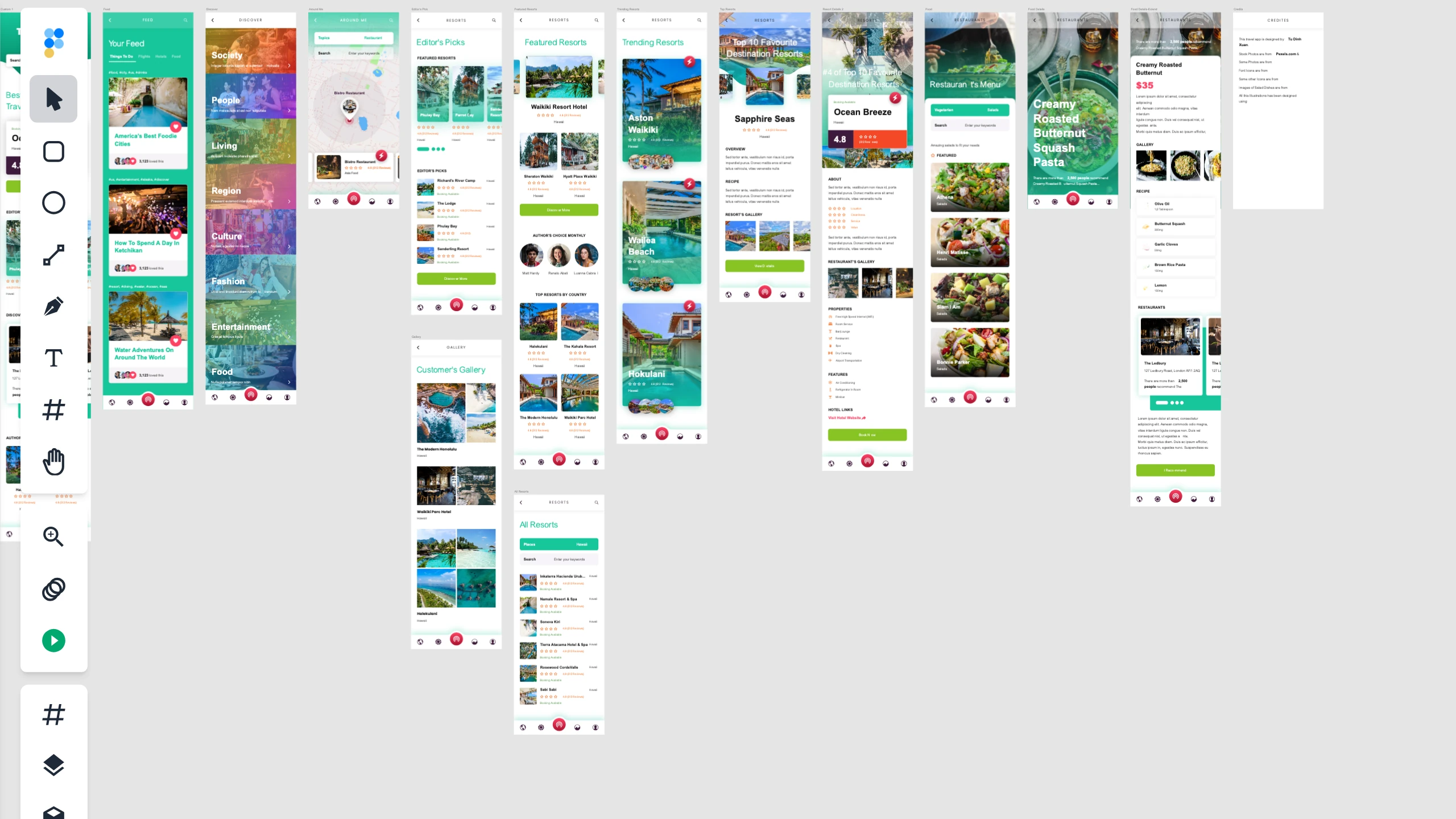
Imported files look the way they should
This is the headline. We went through the ways an imported file could come out wrong and fixed them:
- Images and patterns actually render. Embedded photos, avatars, logos, and repeating pattern fills now paint for real instead of showing up as gray placeholders — including image fills carried over from XD, and SVG patterns with transparency, cropping, and stretching handled correctly.
- Drop shadows and blur — even on whole groups. Composite drop-shadow effects now import as real offset shadows instead of a flat blur, and shadows or blur applied to an entire group or folder finally paint (a very common XD export that used to come out invisible).
- Clip paths and cut-outs. SVG clip paths built from rectangles, circles, ellipses, and polygons now clip correctly, and
even-oddfills render their holes — so donuts, letter counters, and logo cut-outs are holes again, not solid blobs. - Text that lands where it should. Text no longer sits a line too low, per-run uppercase/title-case from XD is preserved, PostScript font names resolve to the real web font, and imported text no longer gets a phantom black outline around every glyph.
- Gradients and blend modes. Gradient authoring and read-back are more robust (a malformed gradient stop can no longer crash a render), and the four HSL blend modes — hue, saturation, color, and luminosity — are now fully supported end to end.
- Correct geometry for lines and shapes. Lines and basic shapes that used to land hundreds of pixels off under non-uniform scaling now compose in the right place at the right size.
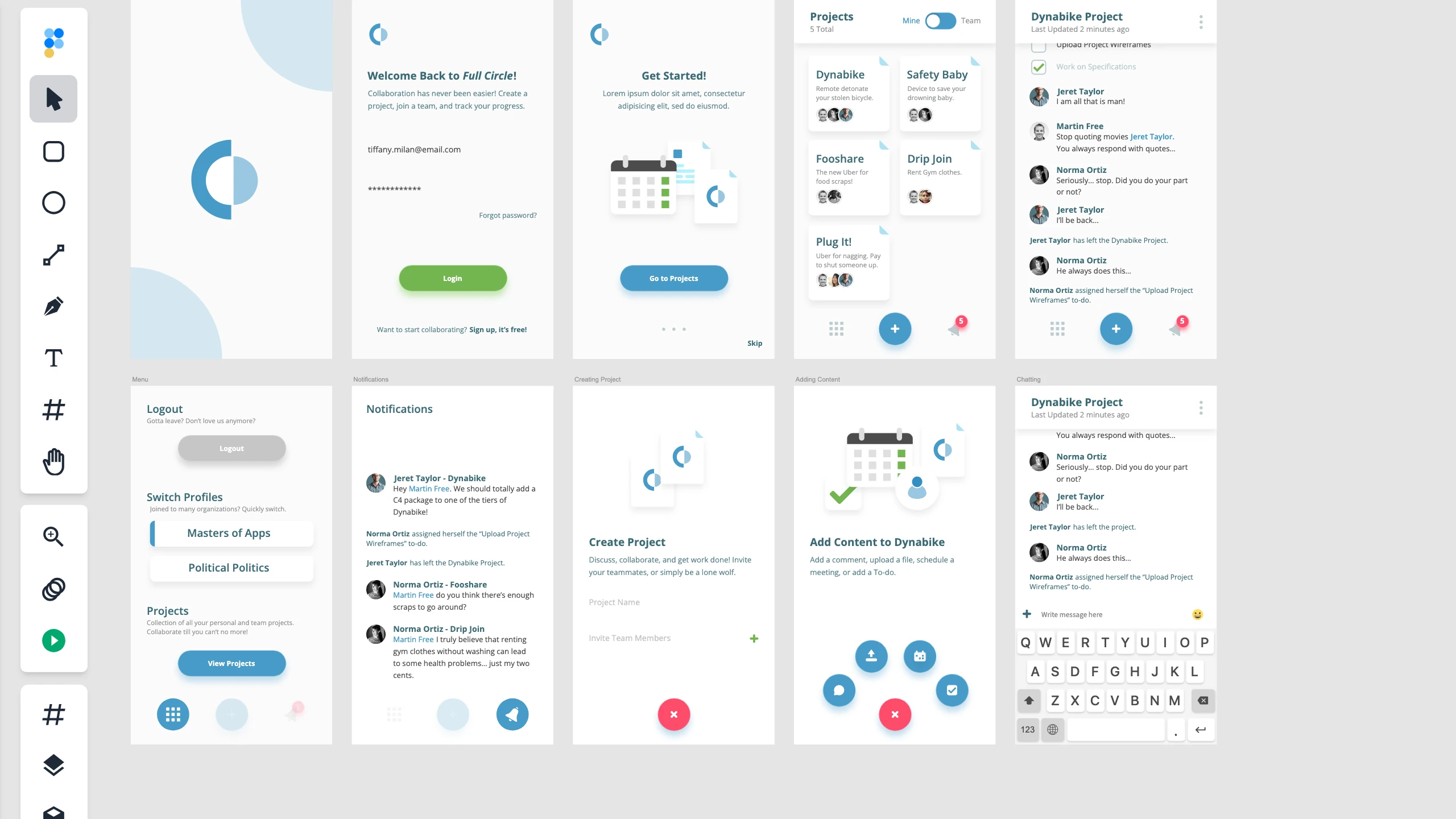
When something can't be imported, you'll know exactly what
No importer handles everything, so when a file uses a feature we can't reproduce, Figpea now degrades gracefully instead of failing. A single unsupported shape, fill, gradient, or missing font no longer blanks the whole file — Figpea drops in a clear placeholder, opens everything else normally, and tells you precisely what happened. The Import Issues panel spells each one out in plain language ("Unsupported gradient type 'diamond' — shown as a solid color instead"), and the more serious "content was lost" cases are visually distinct from the minor "this was approximated" ones.
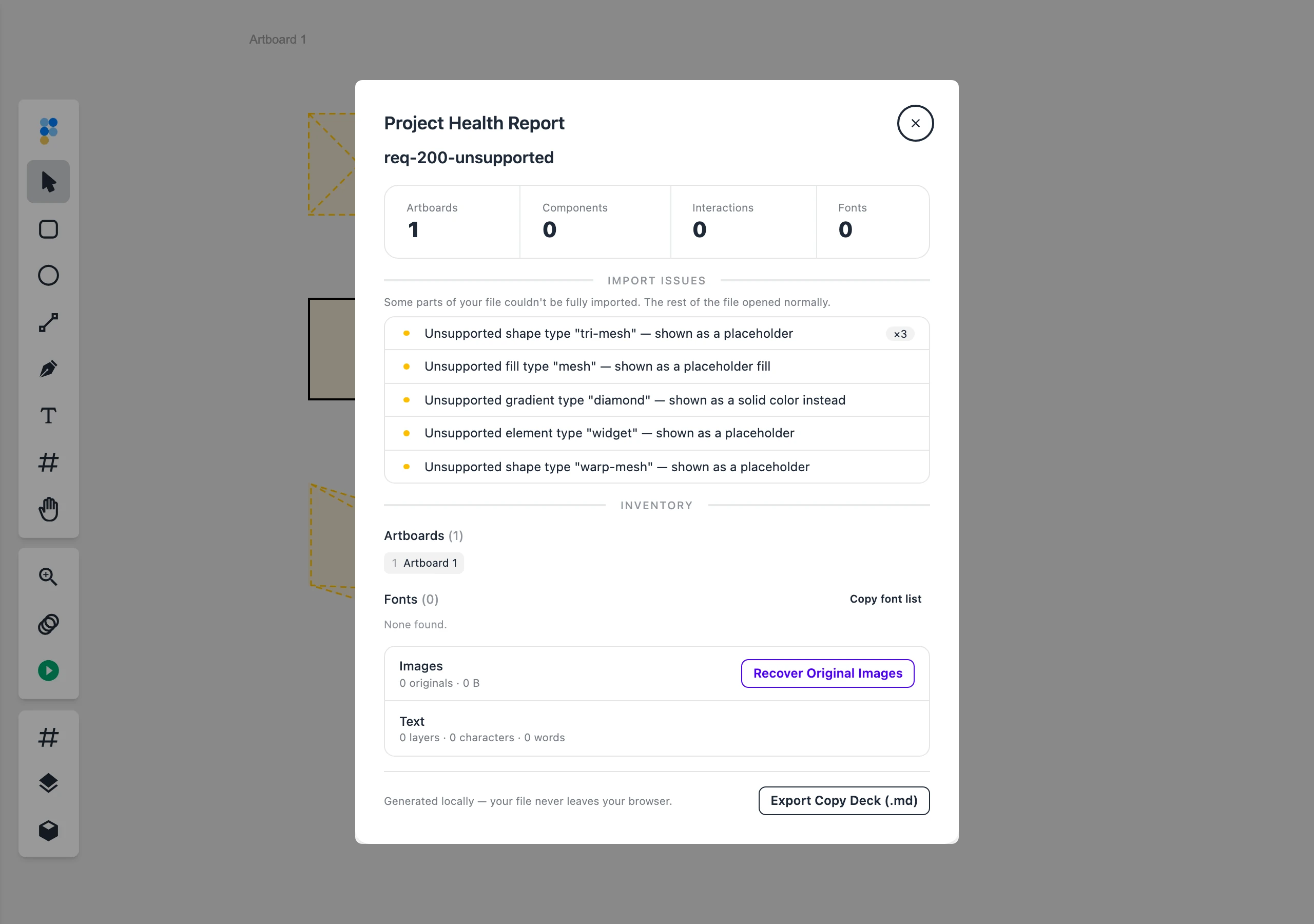
Symbols, components, and richer prototypes
Beyond viewing, this release makes Figpea a real authoring tool for component-based design:
- Symbols and component instances with overrides. Instances now decode and render their per-instance overrides — a changed label, a swapped color, a removed child — so they no longer all look identical to their master. This was the single biggest XD fidelity gap, and you can now author those overrides yourself, too.
- Component states. The states editor is live: create component states and spin up instances directly in the editor.
- Fuller prototypes. Prototype interactions now cover the complete set of triggers and actions — including auto-animate tweens and state transitions — not just the old tap-to-navigate subset.
We also fixed the reliability issues underneath: placing an instance now lands it correctly on the right page instead of stacked on top of its master, and a cluster of component-state crashes and ID-drift bugs on project reload are gone, so files with instances and states reopen cleanly.
Pixel-precise transforms, everywhere
Figpea now honors full affine transforms — including shear — throughout rendering, math, and the on-screen controls. A skewed layer renders skewed as authored; the hover outline hugs rotated and non-uniformly-scaled layers; transform handles stay crisp, constant-size squares that don't drift off the corners; and resizing a layer past its opposite edge now flips it into a clean mirror instead of collapsing it into an invisible sliver. Group and multi-select resizes are both fast and geometrically exact, even when the children are rotated.
Drive Figpea with code
Figpea's scriptable window.figpea API grew from a small starter into a broad, self-documenting automation surface — ideal for AI agents and scripted workflows. You can create, style, group, reorder, and transform layers; author gradients, blend modes, effects, and image fills; query the layer tree ("find every image layer"); drive real pointer drags on selection handles; frame the canvas for a screenshot; author prototype interactions; and pull structured import-fidelity diagnostics for any file you open. A single describe() call returns the whole typed contract, so a tool can discover what's available at runtime.
const fp = window.figpea

// Discover the entire typed API surface at runtime:
await fp.describe()

// Read a real, opened file back:
const images = await fp.session.find('every image layer')

// Build a layout as one undoable step:
await fp.layer.create('rect', {
  x: 0, y: 0, width: 240, height: 64,
  style: { fillType: 'gradient' /* … */ },
})

// Ask what did — and didn't — import cleanly:
await fp.report.diagnostics()
And the bridge that connects this to your tools, figpea-mcp, is now a standalone, open-source (MIT) package — the first Figpea code released under an open license. It relays the API to a live editor tab and can hand your agent a screenshot of the canvas to close the loop.
A tidier, sturdier editor
- The main menu is regrouped into clearly divided sections with a single consolidated Export submenu, so the commands you reach for are easier to find.
- A new boot watchdog auto-recovers a stalled load instead of stranding you on a frozen "Loading…" screen.
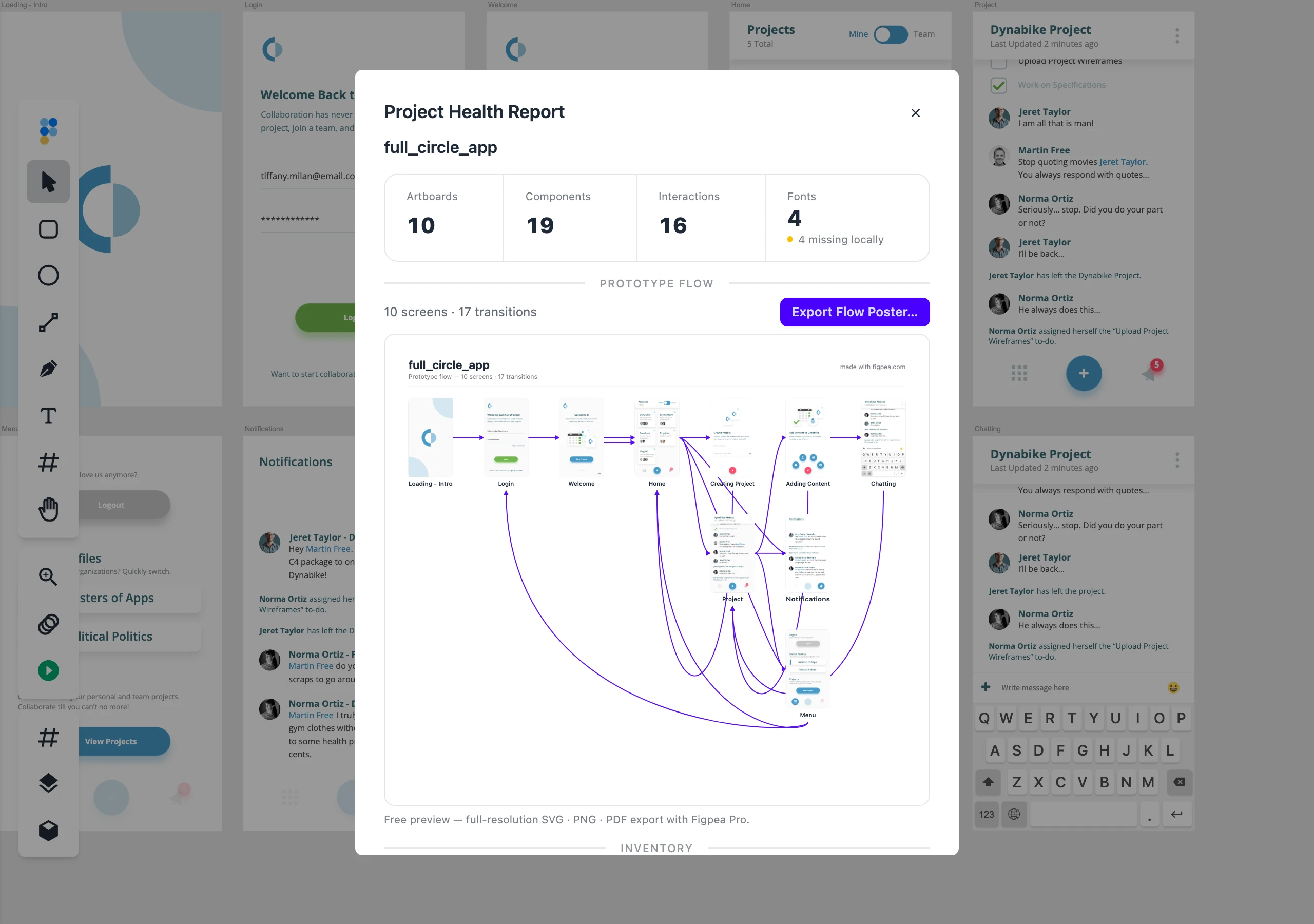
- The Project Health Report is redesigned — a zoned, readable layout with at-a-glance stats (artboards, components, interactions, fonts), a rendered prototype-flow map, an inventory of your assets, and the import-warnings panel described above. Opening and reading the report is always free.
Leaving Adobe XD? More ways out
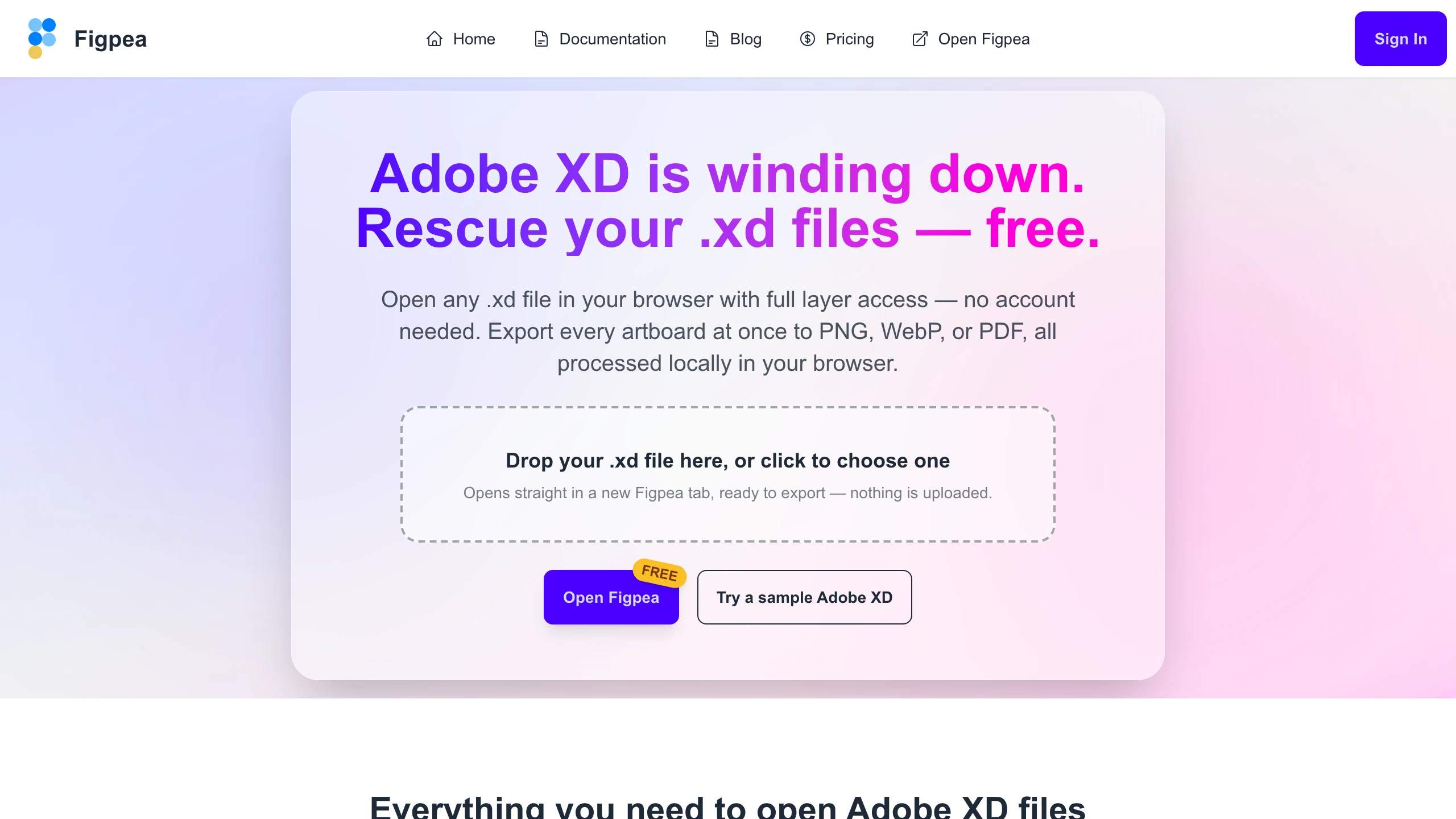
Adobe XD is winding down, and Figpea is built to get your work out of it. Open any .xd file in your browser with full layer access — no account needed just to look — and this release adds several focused rescue and hand-off surfaces:
- Figma migration — export each artboard as a Figma-tuned SVG you can import into Figma (an SVG bridge, not a native
.figconversion). - Asset harvest — pull every embedded image and icon out as developer-ready files, with platform presets for iOS, Android, and the web.
- Archive and flow poster — export a contact-sheet PDF of every artboard, or a poster of your prototype flow.
- Developer hand-off — export a self-contained spec bundle and design tokens your developers can use with no accounts and no uploads.
- Drop-to-open — drop a file straight onto a landing page and it opens in a fresh Figpea tab, ready to work. This now covers the PSD pages too, not just XD.
Reliability, security, and fresher docs
Behind the scenes we hardened the account and payment path (cleared critical authentication advisories, made magic-links reliably single-use, stopped ever showing "email sent" when a send actually failed, added a proactive "your Pro is ready" email for bank-debit buyers, and fixed subscription-metadata races), refreshed stale docs and screenshots across the blog, and tidied up social-share previews — the quiet work that keeps everything above dependable release after release.
Try it
Everything here is live now. Open Figpea, drag in an XD, PSD, SVG, PDF, or Figma file — or load a built-in sample — and see how it renders. It's free to open, inspect, and edit; when you need batch export, any-scale asset extraction, and unlimited presentations, Pro has you covered.