 Figpea
Install FIGPEA for Offline Access
FIGPEA is a Progressive Web Application (PWA). Install the offline files from the main menu and FIGPEA's own files are stored on your device, so the editor opens and runs with the network off. Anything that has to come from the network — pages on this site, anything you have not already downloaded — still needs a connection.
What Offline Access Covers
Offline Access means the editor's own files are on your device. Here's how to install them, and where the boundary is.
Download for Offline Use
- Visit editor.figpea.com
- Log in to your account
- Open the main menu, then Offline Access → Install Offline Files:
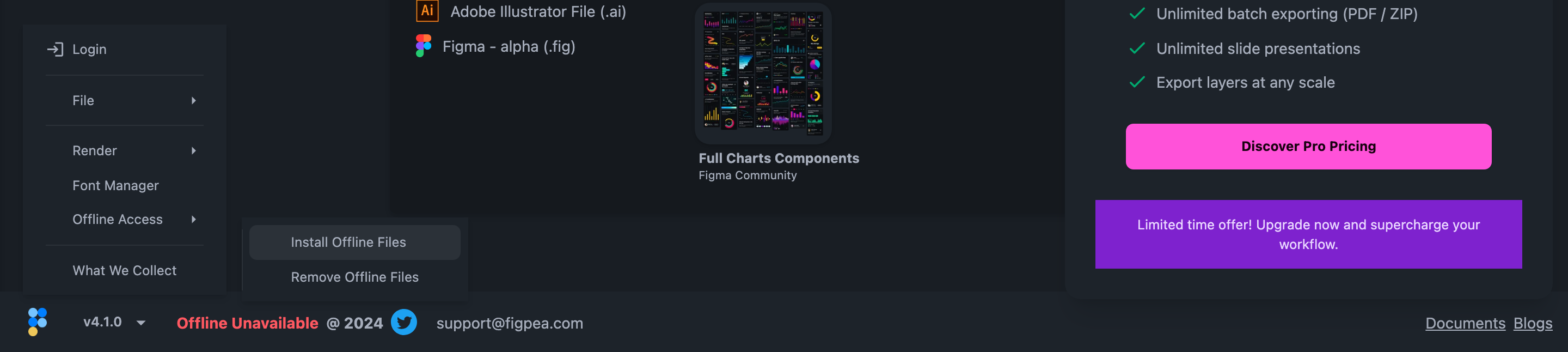
This downloads the editor to your device:
- The FIGPEA app itself, at the version you are running now
- The files that version needs in order to start, including its own version check
- The icons and web app manifest that make it installable
It does not download this website, our documentation, or any sample files. Files you have not already downloaded still need a connection to fetch.
Once that finishes, FIGPEA opens from your device with the network off, and files you already have keep working.
Offline caching works in any modern browser with service-worker support — Chrome, Edge, Firefox, and Safari.
Version Management
Automatic Updates
While you are connected, FIGPEA compares the version it is running with the version your offline files came from:
- Checks for new versions automatically
- Prompts you when a newer version is available and your offline files need refreshing:
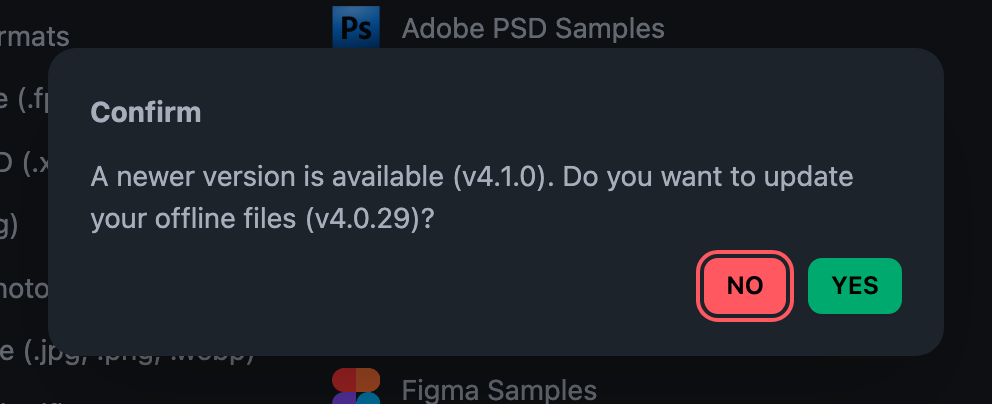
The prompt names the version that is available and, when a project is open, how many layers are at risk in the tab it would reload. Keep working leaves the tab exactly as it is — nothing is saved, nothing reloads. Update and reload downloads the newer version's files first, and only then reloads the editor into them. It never reloads on its own.
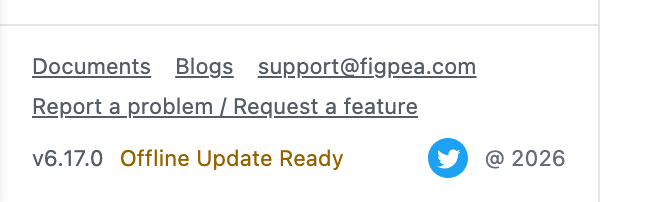
The editor's footer says which of three things is true: your offline files are not installed, they are installed and match the version you are running, or they are installed and a newer version is ready to take over.
Managing Offline Files
Need to remove offline access? You can easily manage your installation:
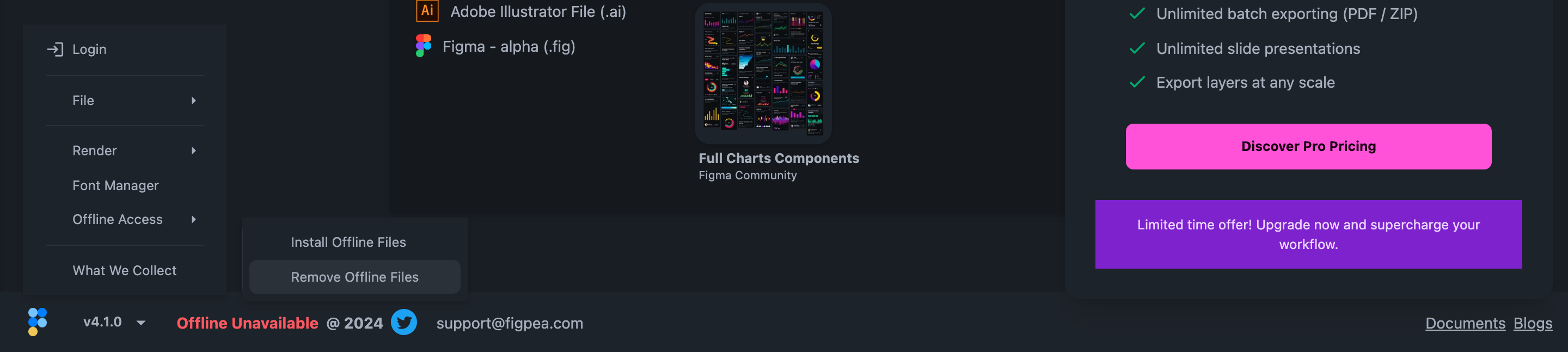
Access the "Remove Offline Files" option in the main menu to clear local data and return to online-only mode.
Offline files are the editor, not your work. The designs you have open are kept separately, in this browser, as your projects.
Desktop Application Installation
Install FIGPEA as a desktop app for a more native experience. How you install it depends on your browser:
- Chrome, Edge, or another Chromium browser — open editor.figpea.com and use the install icon in the address bar.
- Safari on macOS — open editor.figpea.com, then choose File → Add to Dock.
- Safari on iOS or iPadOS — open editor.figpea.com, tap Share, then Add to Home Screen.
Firefox on desktop does not support installing web apps; offline file caching (above) still works there.
Benefits of Desktop Installation
- Launch FIGPEA directly without opening your browser
- Access from your applications menu or dock
- Dedicated window for focused work
- Opens and edits files you already have while the network is off
Technical Details
FIGPEA's offline capabilities are built on modern web technologies:
- Progressive Web App (PWA) architecture
- Service Worker for offline resource management
- Cache Storage for the downloaded app files
In practice:
- The editor opens with the network off
- A file you have already opened or downloaded keeps working; fetching a new one does not
- The offline copy keeps itself current while you are connected: pages and app files you load are stored on your device as they arrive, so a full download of every file only happens when you install or accept an update — removing the offline files is always your call
- The editor checks your plan while you are connected and keeps a record on your device so it can start with the network off; that record lasts up to 30 days, so after 30 days with no connection the editor needs one connection before it will run offline again
Support
For any issues with offline access or installation, contact our support team at [email protected].