 Figpea
Figpea Plans: What's Free, What's Pro, and the Rescue Pass
Figpea splits cleanly into two tiers: everything you need to open, inspect, and edit a design file is free for everyone — no account required — and Pro adds breadth and volume when you need to hand work off to other people or other tools.
Free vs Pro at a glance
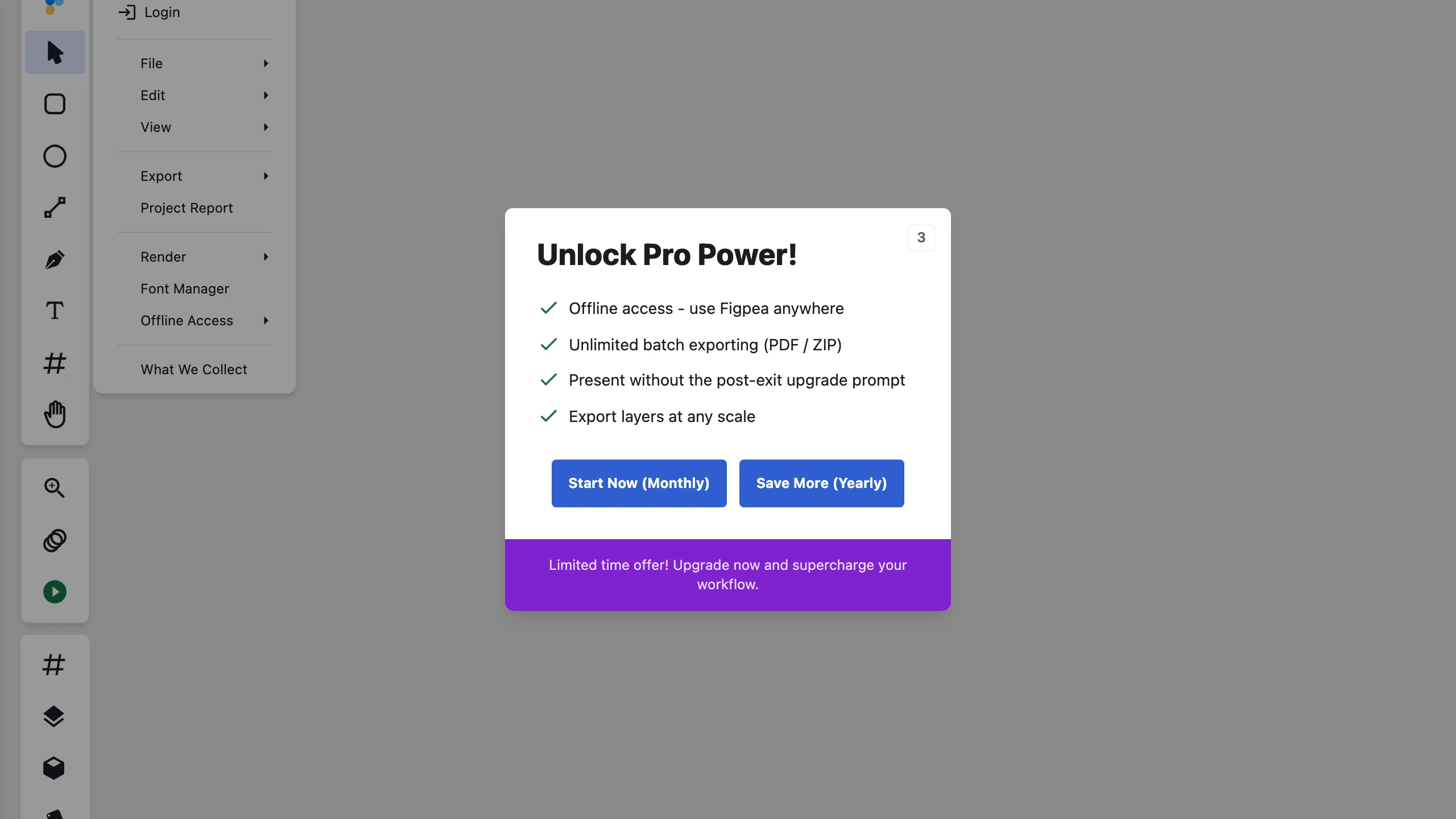
When a free-tier user triggers a Pro capability (such as Presentation Mode, multi-scale export, or PDF export), Figpea displays a claim-aware upgrade prompt that highlights the specific capability attempted. Upgrade prompts pull live feature lists directly from the plan service with transparent pricing, and can be dismissed immediately with a single click without forced countdown locks or artificial urgency.
Fidelity is identical on both tiers — Figpea renders your file the same way whether you're on Free or Pro. The difference is the breadth and volume of what you can export and hand off, not how well any single export looks.
| Free | Pro | |
|---|---|---|
| Open & view XD, PSD, .fig, and PDF files | Yes | Yes |
| Inspect layers, colors, and measurements | Yes | Yes |
| Edit in the browser | Yes | Yes |
| Export single assets at 1x (PNG/JPEG/WebP/SVG) | Yes | Yes |
| Save the project as a Figpea file (.fp, fully editable) | Yes | Yes |
| Export at any scale (2x, 3x, custom) | First 6 per session | Yes |
| Batch export multiple layers/assets at once | — | Yes |
| ZIP export (packaged assets) | — | Yes |
| PDF export | — | Yes |
| Presentation / prototype playback | Full deck (upsell on exit) | Yes |
| Developer-handoff spec bundle | — | Yes |
| Design tokens export | — | Yes |
| Figma Migration Kit (Figma-tuned SVG per artboard + assets, fonts, copy deck) | — | Yes |
| Contact-sheet PDF of every artboard | — | Yes |
| Prototype flow poster (SVG, PNG, or PDF) | — | Yes |
| Illustrator (.ai) export (PDF-compatible pages + exact Figpea reopen) | — | Yes |
| Asset Harvest (ZIP bundle of extracted images & vector icons for Web/iOS/Android) | — | Yes |
| Original-image recovery | — | Yes |
The Figma Migration Kit emits new Figma-tuned output you import into Figma; Figpea never writes back into an existing .fig file.
Sampling Pro before you pay. Two Pro features let you try them first: 6 scaled (2x/3x/custom) exports per browser session, and presentation playback that runs uninterrupted for your full deck with an upgrade prompt surfacing after you exit. These are trial samples, not part of Free — they reset each session, may change, and the Agent API has no such allowance.
A quick way to think about it: Free covers opening, inspecting, and editing any file, plus single-asset 1x exports, saving your work as a .fp Figpea file, and trial sampling for scaled exports and presentation playback (upsell on exit). Pro is for when you need to export in bulk, at any scale, package everything into a ZIP, PDF, or Illustrator (.ai) file, hand a spec bundle or design tokens to a developer, migrate a project into Figma, produce a contact-sheet PDF, a prototype flow poster, or an Asset Harvest bundle, recover an original embedded image, or present without the post-exit upgrade prompt. See Exporting for the full export reference, and Pricing for current plan details.
The Rescue Pass: Pro access without a subscription
Not everyone wants a recurring subscription. If you have one orphaned XD, PSD, or .fig file you need to open, edit, and export — and nothing else — the Rescue Pass is built for exactly that.
The Rescue Pass is a one-time payment that unlocks 7 days of full Pro access. There's no recurring charge, no auto-renewal, and no subscription to remember to cancel — when the 7 days are up, your access simply ends. It's the fit for the "I have one file to rescue" situation: pay once, get everything Pro offers (any-scale and batch export, ZIP/PDF, Illustrator .ai export, spec bundle, design tokens, the Figma Migration Kit, contact sheet, flow poster, Asset Harvest, original-image recovery) for a week, and you're done.
See figpea.com/xd-rescue for the dedicated XD-rescue walkthrough, and Pricing for how the Rescue Pass compares to a subscription.
Related docs
- Exporting — the full export format and scale reference
- Pricing — current plan pricing and the Rescue Pass
- figpea.com/xd-rescue — rescuing an orphaned XD file end to end