 Figpea
Opening Very Large Design Files
Some design files are simply much larger than others: a vendor's design system, a community UI kit, a client's export. If you have handed one of those to a browser-based editor and watched it stall, or fail to open at all, this page explains what is going on and what Figpea does about it.
Why a large file is heavy to open
A design file is not one picture. It is a list of layers — every frame, group, text block, vector and component instance — and each one has to exist as something the editor can select, move, restyle and undo.
Reading the file itself is not the hard part; the structure is parsed from the bytes you already have. The cost has always been what comes next: holding every layer in the file live at the same time, whether or not you are looking at it.
That is why the failure mode for a very large file is memory, not corruption. The file is fine. There was simply not enough room on the machine to keep all of it awake at once.
What Figpea does
Figpea keeps the layers you are working with live and materializes the rest on demand, so memory stays bounded instead of growing with the total number of layers.
The layers that stay live are the ones you are actually working with: what is on screen, what you have selected, and the containers those layers live inside. Everything else is kept in a much smaller form and is rebuilt the moment you need it again — as you scroll, select, edit, undo, export or search.
That last part is the point, and it is worth being precise about it: editing a layer, stepping through undo history, exporting, or searching for a layer by name all work normally on a file this large. What changes is when the work happens — an edit or an undo brings the layer it touches back at the moment you do it, rather than the whole file having been resident all along.
You do not have to manage any of this. There is no setting to switch on, and the editor does not ask you which parts of the file you want.
What you will notice
Very large design files — the multi-hundred-megabyte Figma kits and heavy PSDs that used to stall or fail to open — can now open and stay usable, as long as your machine has the memory for the layers you are actually working with.
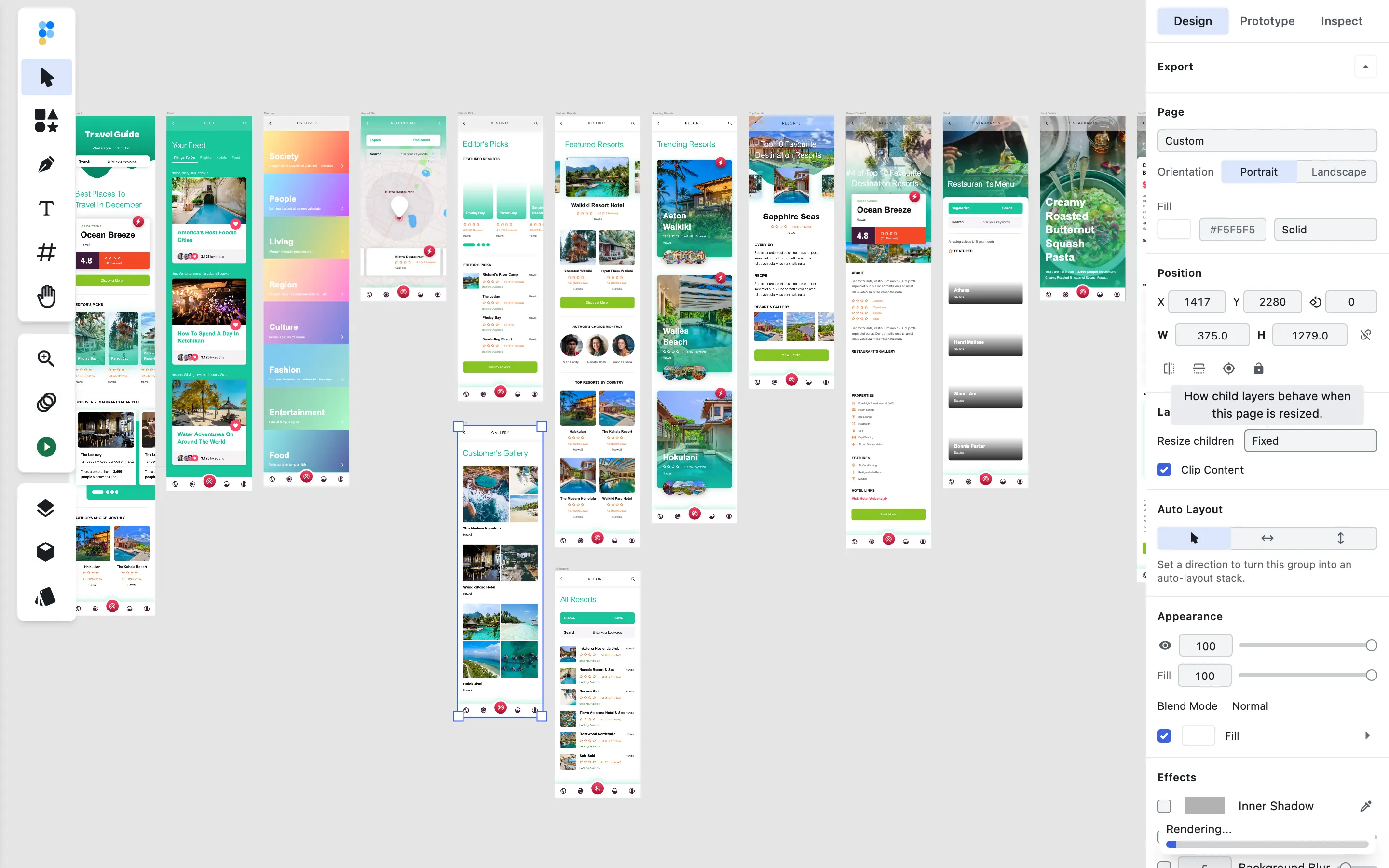
Below is a real Adobe XD file — the largest sample Figpea ships — opened in the editor: its artboards are drawn on the canvas.
Below a certain size nothing changes: ordinary projects open, render and edit exactly as they did before.
What to expect, honestly
This makes large files openable; it does not make them weightless. A few things remain true:
- Memory still scales with what you are working on. A big file with a big visible page still needs a machine that can hold that page. The improvement is that the cost follows your working set rather than the size of the whole document.
- Figma (
.fig) support is still an alpha structural read. Large.figfiles are no longer blocked by the layer-count ceiling, but the parser's fidelity limits are exactly what they were — see Figma Import. - PSD and Adobe XD carry their own decode costs. Their parsers are mature, but a heavy file is still a heavy file to read.
- A file can still fail to open for reasons that have nothing to do with size: an unsupported feature, a truncated download, a format the editor cannot read. If that happens, the opening-files troubleshooting steps include how to report it.
Frequently asked questions
Can Figpea open a very large Figma file?
Usually, yes — that is the case this page is about. Whether a specific file opens depends on the machine you are using and on how much of it you need on screen at once, so the honest answer is "it depends on your working set", not a fixed file-size threshold. .fig files also remain an alpha read: pages, frames, text and vectors come through, while some effects and newer features may render approximately.
Why did my file not open before?
Because the editor used to need every layer in the file live at once. For a very large file that meant more memory than a typical machine has, so the tab would stall or run out of room. That requirement is what changed.
Is my file uploaded anywhere?
Everything stays on your machine — nothing is uploaded.
Does this change how small files behave?
No. Below a certain size nothing changes: ordinary projects open, render and edit exactly as they did before.
Can I save a large file back to Figma?
No. .fig support is a read-only structural import — Figpea does not write .fig files, whatever their size. See Figma Import for what that means in practice.
Related
- Figma Import — what the alpha parser reads, and what it does not.
- Opening Design Files — supported formats and troubleshooting.
- Your Projects & Restore — where your work is kept locally.
- Figma viewer, PSD viewer and XD viewer — per-format landing pages.